Advertisement
Working with large datasets often feels overwhelming until you have the right tools. Apache Spark makes it manageable by letting you process data across many machines with ease, and its RDD (Resilient Distributed Dataset) is where it all begins. For Python users, PySpark bridges the gap, bringing Spark’s distributed power into a familiar language.
Creating an RDD is the first building block to analyze, transform, and explore your data at scale. Whether you’re experimenting locally or building something for production, understanding how to create RDDs in PySpark gives you a strong foundation to handle big data confidently and efficiently.
Before you can start working with RDDs, you need to set up a Spark context — the gateway to Spark’s engine. In PySpark, the easiest way to do this is by creating a SparkSession, which neatly handles both configuration and the underlying SparkContext. Here’s how it looks:
from pyspark.sql import SparkSession
spark = SparkSession.builder.appName("CreateRDDExample").getOrCreate()
sc = spark.sparkContext
The spark object is your main handle for Spark, and sc gives you direct access to create RDDs. For local testing, this setup works as is, while clusters can be configured in the builder.

One of the simplest ways to create an RDD is to parallelize an existing Python collection. This is very handy when you already have data in memory and want to process it using Spark’s distributed model. The parallelize() method takes your collection and distributes it as partitions across the available cores.
data = [1, 2, 3, 4, 5]
rdd = sc.parallelize(data)
By default, Spark decides the number of partitions based on your system. You can explicitly set the number of partitions like this:
rdd = sc.parallelize(data, 4)
Here, the RDD is divided into four partitions. This control is useful when working with large clusters or when tuning performance. You can check how many partitions an RDD has using:
print(rdd.getNumPartitions())
RDDs created with parallelize() are mainly used for testing, prototyping, or when your dataset is small enough to fit into memory on the driver machine. For production-scale data, you’ll usually read from external storage.
Spark is designed to handle data stored on distributed file systems like HDFS, Amazon S3, or even just a local file system. To create an RDD from a file, use the textFile() method. It reads text files and creates an RDD where each element is a line from the file.
rdd_from_file = sc.textFile("path/to/your/file.txt")
You can specify a local path, an HDFS path, or an S3 path. The textFile() method automatically handles splitting the file into partitions. Like parallelize(), you can control the number of partitions by providing a second argument:
rdd_from_file = sc.textFile("path/to/your/file.txt", 10)
This is particularly important when reading very large files, where increasing partitions can improve parallelism and performance. You can apply transformations like map, filter, or flatMap on this RDD to process each line.
If your data consists of multiple files, you can pass a directory path or use wildcards:
rdd_from_files = sc.textFile("path/to/data/*.txt")
Each file is read and distributed across partitions seamlessly.
Once you have an RDD, you often create new RDDs by applying transformations to it. These transformations are lazy, meaning Spark doesn’t actually compute anything until you perform an action like collect() or count(). Some common transformations include:
For example:
numbers = sc.parallelize([1, 2, 3, 4, 5])
squared_numbers = numbers.map(lambda x: x * x)
even_numbers = squared_numbers.filter(lambda x: x % 2 == 0)
Here, squared_numbers and even_numbers are new RDDs derived from the original. Every transformation results in a new RDD while keeping the original immutable. This is part of what makes Spark fault-tolerant and efficient.
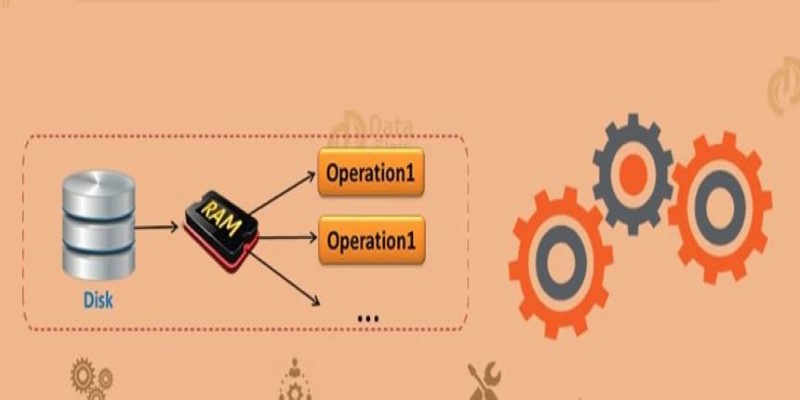
If you plan to reuse an RDD multiple times, it can save time to persist it in memory or on disk. By default, RDDs are recomputed each time you act. To avoid this, you can call cache() or persist().
rdd.cache()
or
rdd.persist()
Caching stores the RDD in memory, while persist() allows you to specify different storage levels, such as memory and disk. This is especially helpful when your data is large and your computation pipeline reuses intermediate results.
You can view the contents of an RDD using actions. Common actions include:
Example:
print(rdd.collect())
print(rdd.count())
These actions trigger computation. Since Spark operates lazily, nothing is executed until you call an action.
After completing your work, always stop the Spark session to free up resources:
spark.stop()
This ensures your application terminates cleanly and releases cluster or local resources.
Creating RDDs in Apache Spark using PySpark is a straightforward yet powerful way to work with distributed data. Whether you’re working with a simple Python collection for quick testing, reading large files from distributed storage, or transforming existing datasets, PySpark provides simple methods to create and manipulate RDDs effectively. Taking the time to understand the different ways to create and work with RDDs helps you design more efficient applications and get the most out of Spark’s distributed processing capabilities. With just a few clear steps, you can set up, transform, and analyze data at scale, all from Python. Knowing when and how to create and persist RDDs gives you control and flexibility for processing everything from small experiments to production workloads.
Advertisement

Why Gradio stands out from every other UI library. From instant sharing to machine learning-specific features, here’s what makes Gradio a practical tool for developers and researchers

Discover powerful yet lesser-known ChatGPT prompts and commands that top professionals use to save time, boost productivity, and deliver expert results

Google’s Agentspace is changing how we work—find out how it could revolutionize your productivity.

Discover strategies to train employees on AI through microlearning and hands-on practice without causing burnout.

Explore the key features, benefits, and top applications of OpenAI's GPT-4.1 in this essential 2025 guide for businesses.

Meta introduces Llama 4, intensifying the competition in the open-source AI model space with powerful upgrades.

How to implement Policy Gradient with PyTorch to train intelligent agents using direct feedback from rewards. A clear and simple guide to mastering this reinforcement learning method

Meta launches Llama 4, an advanced open language model offering improved reasoning, efficiency, and safety. Discover how Llama 4 by Meta AI is shaping the future of artificial intelligence

A Nvidia AI-powered humanoid robot is now serving coffee to visitors in Las Vegas, blending advanced robotics with natural human interaction in a café setting

What loss functions are, why they matter, and how they guide machine learning models to make better predictions. A beginner-friendly explanation with examples and insights

AI in Travel is changing the way people explore the world. Discover 19 real examples of how artificial intelligence improves planning, customer service, pricing, and personalization in modern tourism

How to build your personal AI agent network from the ground up. Discover practical ways to connect, train, and coordinate multiple AI agents to simplify daily work, manage information, and create a more efficient digital support system